Joy1 🤖
A native macOS controller app for the HUENIT robotic arm equipped with a suction cup tool module. Tactile 3D X/Y/Z jogging, dynamic vacuum pump control, automatic USB serial discovery, and non-destructive homing safety.
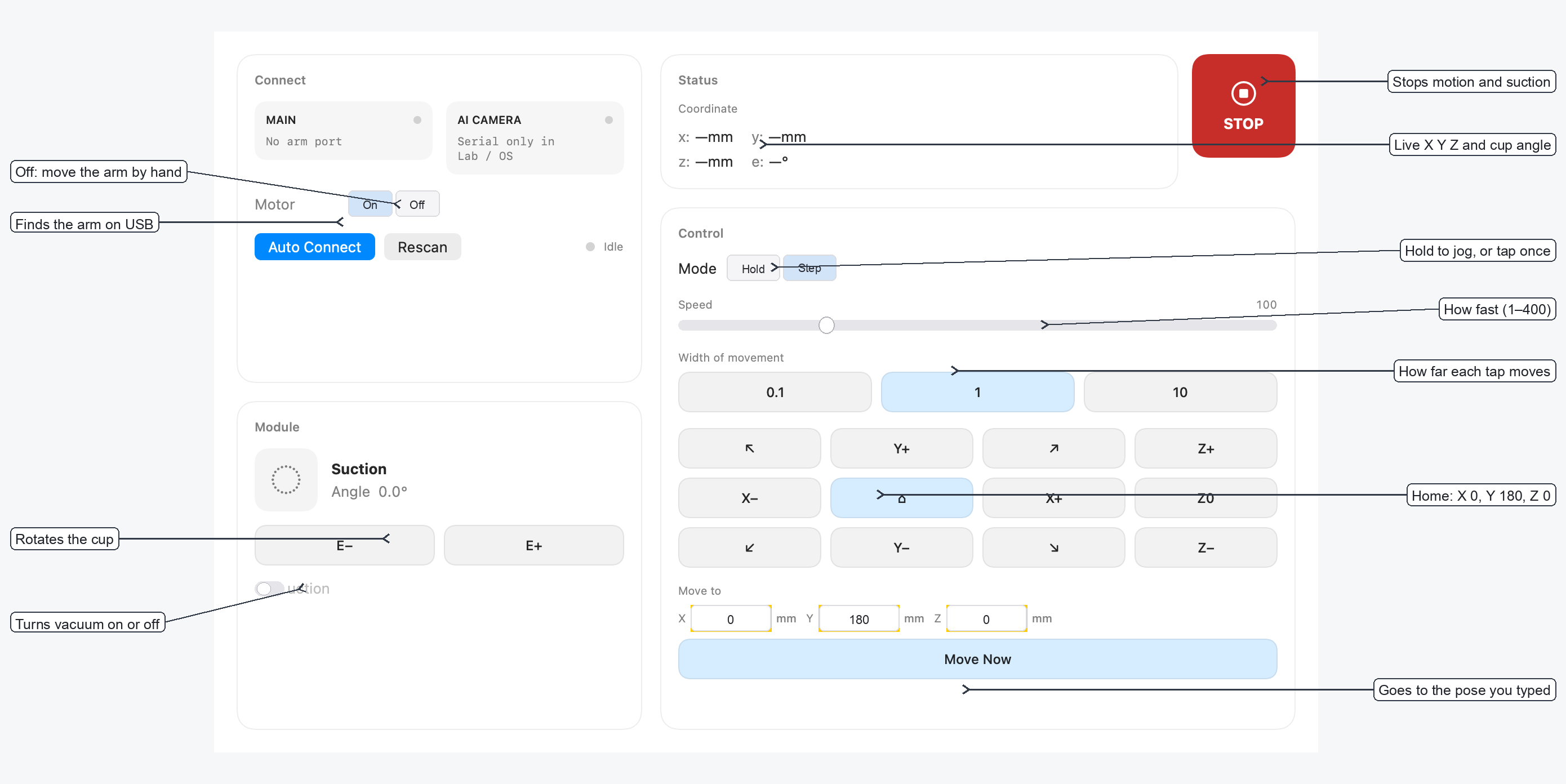
Interactive control window: Jogging, Suction, Home & Pose entry
Built for Precision & Hardware Safety
Everything you need to control, pose, and automate your HUENIT arm without risky commands.
USB Auto-Connect
Automatically discovers the arm by its hardware identity (HUENIT_HUEARM). Immune to macOS serial port path changes when unplugged and replugged.
3D Jogging & Step Tuning
Hold direction buttons for continuous motion or tap for exact micro-steps (0.1 mm, 1 mm, or 10 mm) across X, Y, and Z axes.
Suction Pump & Cup Rotation
Full end-effector control: turn suction vacuum ON/OFF, adjust rotation angle (E-axis), and pick or release objects seamlessly.
Motor Lock & Free Posing
Use Motor Off to disengage stepper motors, allowing you to move the arm freely by hand to test physical workspace limits, then re-engage with Motor On.
Instant Emergency STOP
Safety first: press Esc, click STOP, or switch away from the app to immediately halt all movement and disengage suction.
Non-Destructive Homing
Bypasses dangerous Marlin G28 commands (which lack limit switches and can crash the arm). Uses official home (X 0, Y 180, Z 0).
Quick Start & Hardware Connection
Connect your HUENIT arm to your Mac via USB and run Joy1 directly from source using Swift Package Manager or through Xcode.
Safety First · Physical Workspace Clearances
Always ensure the robotic arm's 360-degree envelope is free of obstructions before powering the steppers. In any unexpected movement, hit Esc on your keyboard to instantly cut power to the motors and turn off the suction vacuum.